File Upload Fixer
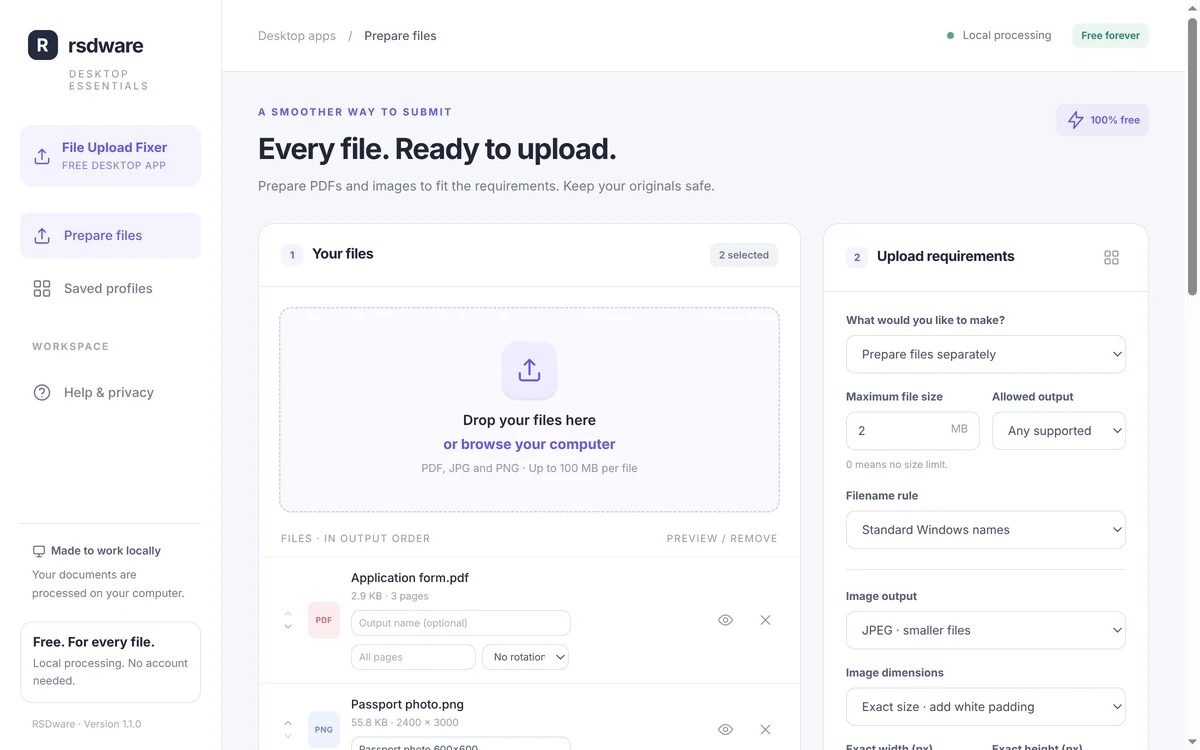
Every file. Ready to upload. File Upload Fixer gets PDFs and photos ready for upload forms that ask for a size, format or number of pages. It makes copies that fit, merges, splits and rotates PDF pages and resizes images, then tells you whether each file meets the requirements. Your originals are never changed.
Free. Windows 10 and 11, 64-bit.
Get File Upload Fixer
Free for Windows 10 and 11. No account needed.
Latest version
- Price
- Free. No trial, no account, nothing to buy.
- System requirements
- Windows 10 or 11, 64-bit.
- Updates
- Checks for a new version when it opens and every few hours. New versions are required: it installs the update and reopens.
- Only download from here
- The Download button always gives you the newest version from our update server.
What it does
- Fit the requirementsEnter the maximum file size and the formats the form accepts. The app makes copies that fit and tells you about anything it couldn’t meet.
- PDF toolsCombine files and pictures into one PDF, split a PDF, and pick, reorder and rotate pages.
- Photos and scansResize to a maximum or an exact size, convert to JPEG or PNG, and preview every result before you upload it.
- Saved profilesSave the requirements of a form you use often and apply them again with one click.
- Document checklistList the documents a form asks for and tick each one off before you submit.
- Stays on your PCFiles are processed on your computer. Nothing is uploaded anywhere by the app.
How it works
- 1. Download and installFree, no account. Run the setup file; Windows may show “Windows protected your PC” because the app is new: choose More info, then Run anyway.
- 2. Add your filesDrop PDFs, JPEGs and PNGs into the window, or browse for them.
- 3. Enter the requirementsWhat the form allows: maximum size, file types, image size, one PDF or separate files.
- 4. Prepare the filesChoose where the copies go and click Prepare files. Each copy shows whether it meets the requirements.
- 5. Upload them yourselfPreview the copies, then upload them to the form as usual.
Questions about File Upload Fixer
Is it really free?
Yes. There is no trial, no account and nothing to buy.
Does it upload my files?
No. Files are prepared on your PC and saved where you choose. You upload them to the form yourself.
Which files does it handle?
PDF, JPEG and PNG, up to 100 MB per file. Password-protected PDFs and Office documents need to be saved as an unlocked PDF first.
Will the website accept my file?
File Upload Fixer checks size, type and page rules, but it can’t know everything a website checks. Look at each result before you submit it.
How do I uninstall it?
Use Settings › Apps › Installed apps in Windows, like any other program. Your prepared files, profiles and settings are kept.