Mapped Drive Support Native
Your mapped drives, also in programs run as administrator. Mapped Drive Support Native lets programs that run as administrator, such as software installers, use the network drives you mapped in Windows. It turns on the Windows setting EnableLinkedConnections, saves your previous setting first so you can put it back, and checks that the change worked. One small program: no installation, no .NET.
Free. Windows 10 and 11, 64-bit.
Get Mapped Drive Support Native
Free for Windows 10 and 11. No account needed.
Latest version
- Price
- Free. No trial, no account, nothing to buy.
- System requirements
- Windows 10 or 11, 64-bit. Administrator rights, because it changes a Windows setting. Nothing to install.
- Updates
- Checks for a new version when it opens and every few hours. New versions are required: one click downloads it, and the app replaces itself and opens again.
- Only download from here
- The Download button always gives you the newest version from our update server.
What it does
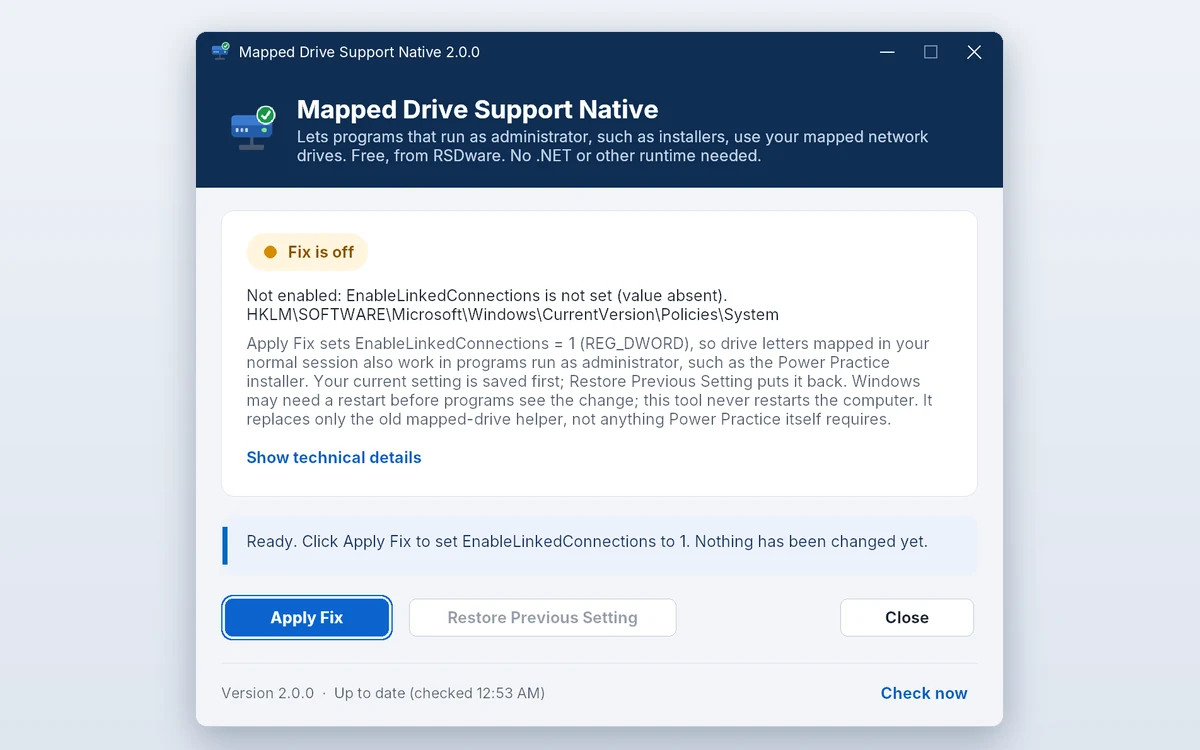
- One clickApply Fix sets EnableLinkedConnections = 1 in the Windows registry, then reads it back to confirm the change.
- Undo any timeYour previous setting is saved before anything changes. Restore Previous Setting puts it back exactly as it was.
- Clear statusSee at a glance whether the fix is on and whether Windows still needs a restart, with the technical details when you want them.
- Nothing to installA single program for Windows 10 and 11, 64-bit. It doesn’t need .NET or any other runtime.
- For scripts tooRun it with /status, /apply or /restore from a command prompt or a deployment script: exit codes say what happened.
- Always up to dateIt checks for a new version when it opens and every few hours. New versions are required: one click updates it and it opens again.
How it works
- 1. Download and runFree, no account, no installation. Windows may show “Windows protected your PC” because the app is new: choose More info, then Run anyway. Allow it to make changes: it needs administrator rights.
- 2. Apply the fixClick Apply Fix. The app saves your current setting, turns on EnableLinkedConnections and checks the result.
- 3. Restart WindowsWindows applies the setting after a restart. The app never restarts your PC by itself.
- 4. Use your drivesPrograms you run as administrator, such as an installer, can now use the drive letters you mapped.
Questions about Mapped Drive Support Native
Is it really free?
Yes. There is no trial, no account and nothing to buy.
What exactly does it change?
One registry value: EnableLinkedConnections = 1 (REG_DWORD) in HKEY_LOCAL_MACHINE\SOFTWARE\Microsoft\Windows\CurrentVersion\Policies\System, the setting Microsoft documents for mapped drives in programs run as administrator. Nothing else is changed.
Why do I need to restart?
Windows reads this setting when it starts, so programs see the change after a restart.
Does it always work?
It works when User Account Control (UAC) uses its usual settings. If UAC is set to ask for a password (“Prompt for credentials”), Microsoft says mapped drives stay unavailable to programs run as administrator; the app tells you when that is the case.
Does it replace what my other programs need?
It replaces only the old mapped-drive helper (MappedDriveSupportTool.exe). Anything else a program needs, such as its own runtime, still has to be installed.
How do I uninstall it?
To put your old setting back, open the app, click Restore Previous Setting and restart Windows. Then delete the program file: there is nothing else to uninstall.