R Messenger
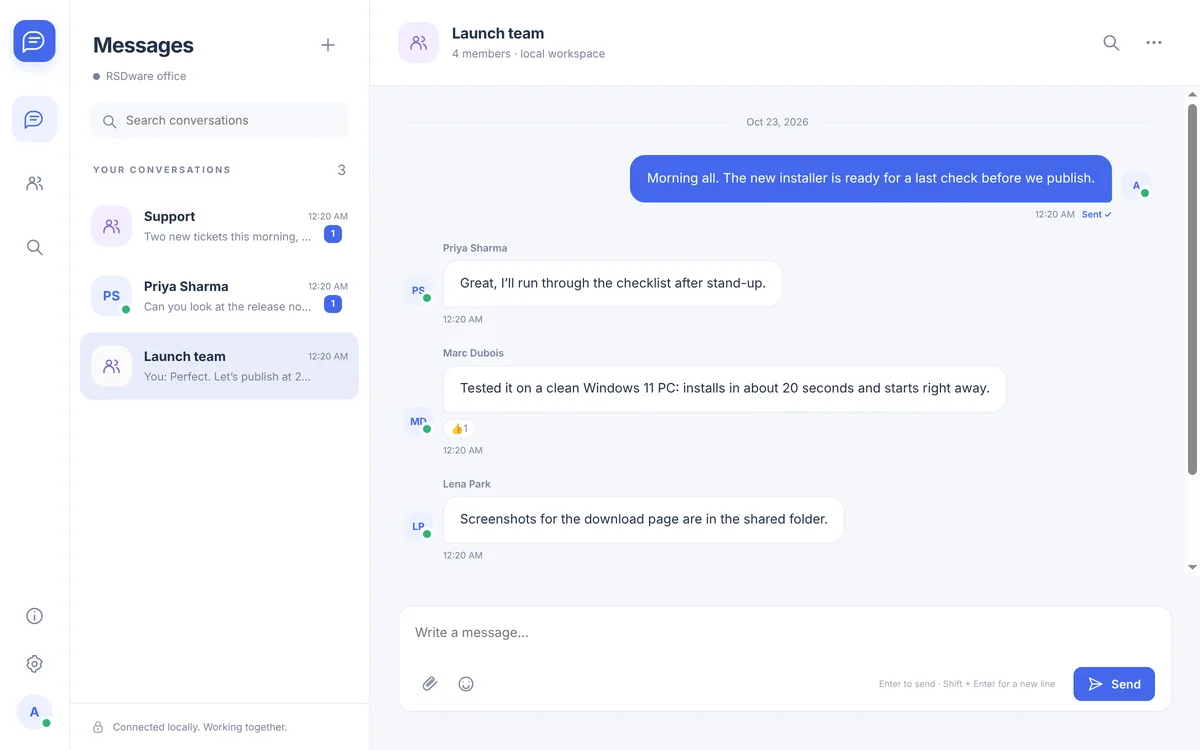
Your team’s chat. On your own network. R Messenger is team chat that runs on your own local network: one PC hosts the workspace and everyone else connects to it. Direct and group chats, file sharing, message history, administration, and one-to-one voice, video and screen sharing, without an internet service in between.
Free. Windows 10 and 11, 64-bit.
Get R Messenger
Free for Windows 10 and 11. No account needed.
Latest version
- Price
- Free. No trial, no account, nothing to buy.
- System requirements
- Windows 10 or 11, 64-bit.
- Updates
- Checks for a new version when it opens and every few hours. New versions are required: it installs the update and reopens.
- Only download from here
- The Download button always gives you the newest version from our update server.
What it does
- Your own hostOne PC on your network hosts the workspace, and conversations and files stay on it. Connections between PCs are encrypted.
- Chat and filesDirect and group conversations, edits, reactions, search and file sharing up to 25 MB.
- Calls and screensOne-to-one voice and video calls and screen sharing between PCs on the network.
- Accounts and adminsPeople join with an invite code; administrators manage accounts and workspace settings.
- No cloudNothing goes through an internet service: it works on your local network.
- Always up to dateR Messenger checks for a new version when it opens and every few hours. New versions are required: it installs the update and reopens, and a host starts hosting again by itself.
How it works
- 1. Download and installFree, no account. Install it on every PC; Windows may show “Windows protected your PC” because the app is new: choose More info, then Run anyway.
- 2. Host a workspaceOn one PC that stays on, choose Host a workspace and create the first administrator account.
- 3. Invite your teamShare the host’s address, port, invite code and certificate fingerprint from Settings › Network.
- 4. Connect and chatOn the other PCs choose Join a workspace, enter those details, check the fingerprint and register with the invite code.
Questions about R Messenger
Is it really free?
Yes. There is no trial, no account with us and nothing to buy.
Does it work over the internet?
No. R Messenger is for PCs on the same local network, such as an office. There is no internet relay.
Which PC should host?
One that stays on and awake during the workday, with R Messenger running. Everyone’s conversations and files are stored on it.
Are group calls possible?
Calls are one-to-one. Group conversations are text and files.
Is it end-to-end encrypted?
Connections between PCs are encrypted (TLS). The host stores the workspace’s messages and files, so keep that PC secure.
How do I uninstall it?
Use Settings › Apps › Installed apps in Windows, like any other program. Your workspace, chat history and settings are kept.